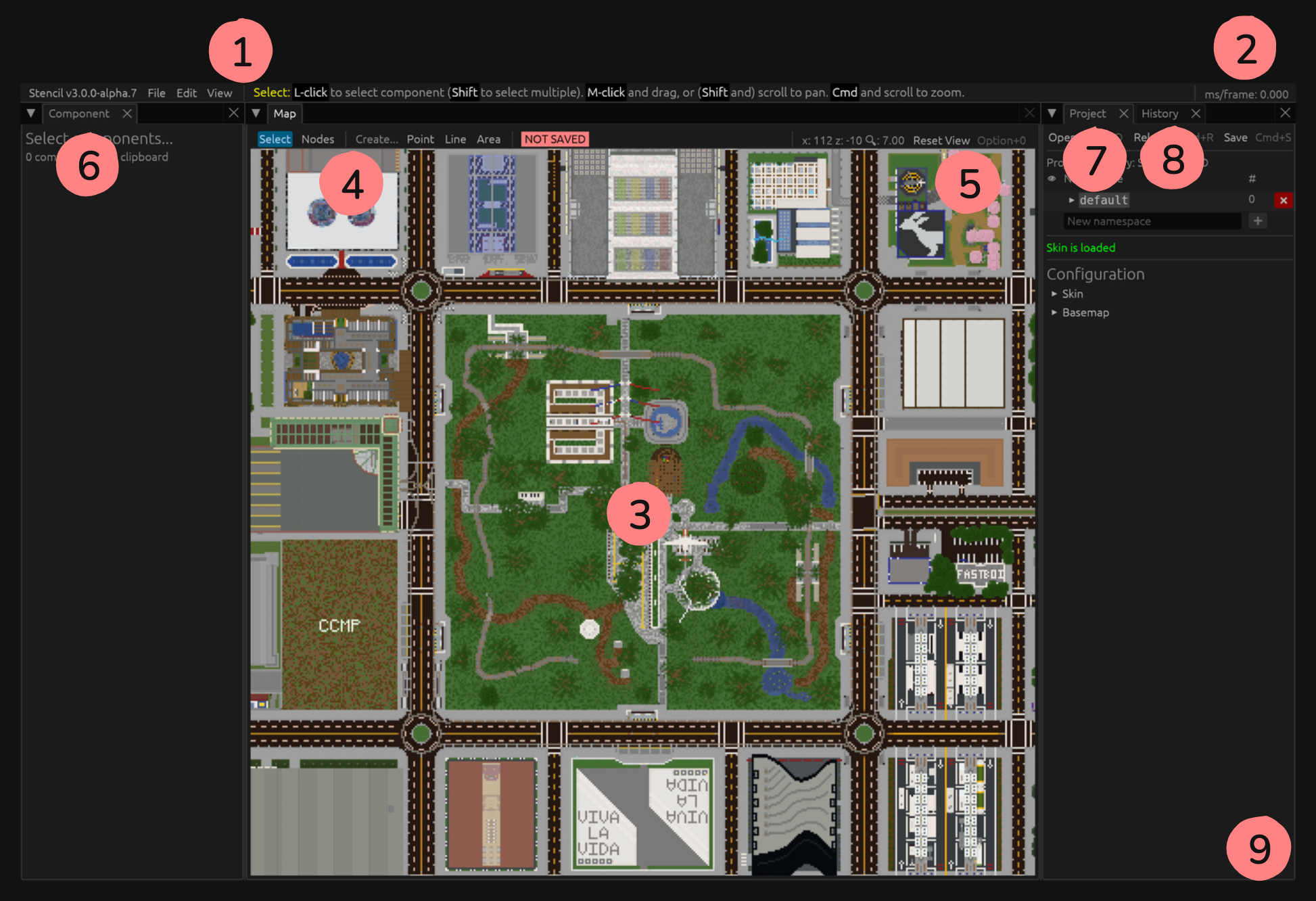
The menu bar contains menu items in the order of Information, File, Edit, View, as well as a status message.
The Information category contains windows to show information about Stencil3 as well as settings and an option to quit.
The File category contains functionality for manipulating projects and namespaces.
The Edit category contains functionality for manipulating components.
The View category contains options to open windows or move the tilemap.
The status message shows help and/or status information about your current mode or recently done action.
The average milliseconds per frame is shown here. On a good computer, this should be under 16.7ms/frame (60fps).
The tilemap takes up most of the window and is your primary work area.
The toolbar lets you switch between modes.
Select Mode allows selecting of components.
Nodes Mode allows selecting of nodes.
There are 3 Create Modes for point, line and area. It will also show options for the namespace new components will be under as well as its skin type.
If the current project is not attached to any folder on disk, “NOT SAVED” will show here.
The X and Z coordinate of your mouse cursor as well as your current zoom and an option to reset the map view.
The Component Editor lets you edit the component data. It also shows the coordinates of the nodes of the component.
The Project Editor lets you configure the project’s skin, basemap and namespaces. It also contains a list of components where you can select them, move them into view and delete them.
The History Viewer shows your project history.
You may find notifications showing up here. These are usually related to projects or namespaces. Any errors or warnings will also show here.